Imagine that you are a support agent who just received an angry customer email an hour to work closing time, a full inbox of rants, and your manager wants replies sent to the customer before close of business that same day.
Just like what thousands of workers do every day, You copy the email word for word, including the personal details and data of the customer and paste it into a free AI chatbot, and type: "Write a polite reply to this customer to explain the situation in a clear manner."
The reply is excellent. You send it. And head home early.
No hacker or malware involved, no stolen password, and yet unknowing to you, the chatbot now has all the customers personal data, note: this is a tool the company cannot see, audit, or control because you the smart and fast employee is trying to beat the traffic and had to you this tool without guardrails.
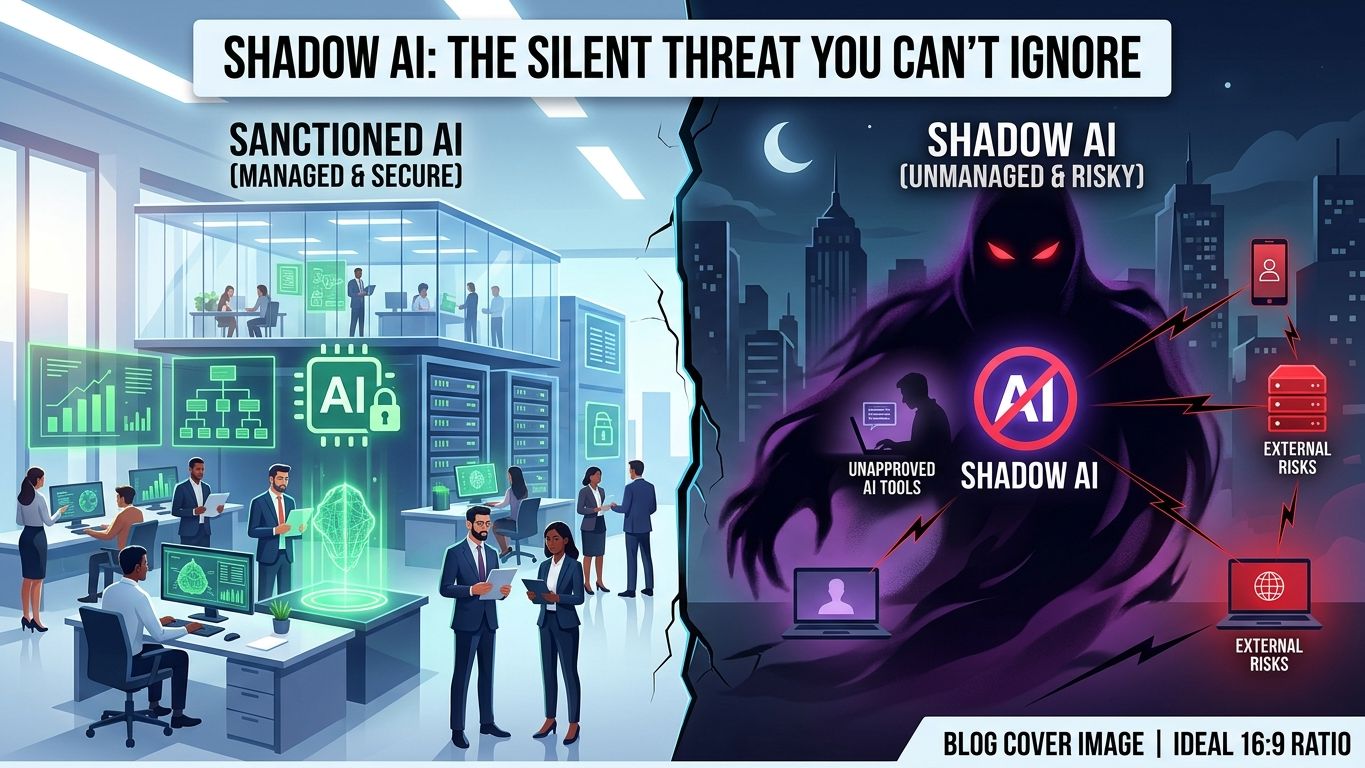
Welcome to shadow AI, the quietest security problem companies and businesses are dealing with in today’s world of A.I.
What really is shadow AI?
Shadow AI is the use of AI tools, such as ChatGPT, Claude, Gemini, Copilot, or AI note-takers, at work without approval, oversight, or clear rules from the company.
It is the AI version of "shadow IT," where employees use software the IT team never signed off on. It looks like this:
- Using a personal ChatGPT account for work tasks
- Pasting customer data, contracts, or source code into a public chatbot
- Letting an AI meeting recorder join calls without consent or retention controls
- Connecting AI browser extensions or plugins to company email and files
- Publishing AI-written content without checking facts, bias, or copyright
The danger is rarely the AI model itself. It is the uncontrolled flow of sensitive information into places your company cannot protect.
Why it is happening (hint: your employees are not villains)
People use shadow AI for the same reason they once used personal phones for work email: it makes the job easier, and nobody gave them a better option.
A 2026 survey of 1,250 office professionals at large companies in the US, UK, Australia, and Japan, run for PagerDuty, found that 66% had used AI tools at work even though they believed company policy did not allow it. The same survey found that 31% had entered confidential financial information or company strategy into public AI tools.
Read that twice. Most of these employees are not rebels. They are trying to meet deadlines in a world where the tools got ahead of the rules.
The numbers every leader should know
IBM's 2025 Cost of a Data Breach report was the first to study AI security and governance in depth. Its findings on shadow AI:
- About 1 in 5 organizations reported a breach linked to shadow AI.
- Organizations with high levels of shadow AI paid about $670,000 more per breach than those with low or none.
- 97% of organizations that reported an AI-related breach lacked proper AI access controls.
- Among breached organizations, 63% had no AI governance policy or were still developing one.
- Shadow AI breaches disproportionately exposed customer personal data.
The pattern is clear. The cost is not coming from fancy AI attacks. It is coming from missing basics: no rules, no visibility, no controls.
5 real-world shadow AI scenarios
1. The helpful customer reply
What happened: Customer personal data goes into a public chatbot. The risk: Privacy leakage with no data-processing agreement, no retention control, and no security review. Productivity on the surface, exposure underneath.
2. The developer's late-night shortcut
What happened: A developer pastes proprietary code into an AI assistant to fix a bug. The risk: The code may contain API keys, database credentials, or unreleased features. Once pasted, you cannot pull it back.
3. The HR summary
What happened: A manager asks an AI tool to summarize interview notes on job candidates. The risk: Sensitive personal information leaves your systems, and the summary can add biased wording or wrong assumptions to hiring decisions.
4. The "confidential" strategy deck
What happened: A leader uploads a pricing model or investor deck for feedback. The risk: Even if a vendor says it does not train on your data, you may have no contract, audit trail, or reliable way to delete it.
5. The confident wrong answer
What happened: An employee asks AI to draft a legal clause, tax figure, or compliance statement, and publishes it because it sounds polished. The risk: AI can be fluent and wrong at the same time. A credibility problem is one copy-paste away.
Why "just ban ChatGPT" fails
Banning AI feels decisive. It rarely works, for three reasons.
- It hides the risk instead of managing it. The 66% in that survey used AI despite believing it was not allowed. A ban moves the activity out of sight, where security teams cannot monitor it.
- It punishes your most productive people. The employees who find faster ways to work will not stop. They will just stop telling you.
- It creates a vacuum. When leadership gives no useful guidance, employees invent their own rules, usually based on convenience.
The better question is not "How do we stop people using AI?" It is "How do we make safe AI use the easiest option?"
The risk map: what can go wrong
Risk
What happens
Business impact
Data leakage
Customer, HR, financial, or product data is pasted into public tools
Regulatory exposure, lost trust and assets.
IP loss
Source code, designs, or strategy documents are uploaded
Loss of trade secrets
Compliance failure
Personal data is processed without a lawful basis or contract
Fines, audits, breached contracts
Inaccurate output
AI produces false or outdated information
Bad decisions, reputational damage
Bias
AI reinforces bias in hiring, lending, or customer service
Discrimination claims
Vendor risk
Workflows depend on tools with unclear security
Loss of control
Account compromise
Personal accounts bypass company login controls
No visibility, weak access management
This is not only an IT problem. It touches legal, HR, finance, communications, and the boardroom.
The Paved Road approach: make the safe path the easy path
Think of a city. You can tell people not to cross the field, or you can build a sidewalk where they are already walking. The Paved Road approach does the second.
Step 1: Give people an approved tool
If your team has no sanctioned option, they will pick their own. Provide an approved AI assistant with business-grade data controls, and write down for each tool:
- Who may use it
- What data it may process
- Whether it retains or trains on company data
- Who owns the account and how access is added and removed
Step 2: Use a simple traffic-light data rule
Employees do not need to become compliance experts. They need A.I policy they can remember.
- 🟢 Green (safe): Public information, general ideas, non-sensitive drafts.
- 🟡 Yellow (approved tools only): Internal documents, project plans, anonymized customer feedback, non-public business information.
- 🔴 Red (never in public AI tools): Customer personal data, employee records, payment details, passwords, API keys, legal documents, health information, source code, unreleased products, financial results, confidential strategy.
Adjust the categories to your industry, but keep the idea simple enough to fit on a sticky note.
Step 3: Keep humans in charge of high-stakes output
AI can draft. A qualified human decides, best fit is a A.I safety/governance professional . guardrails and human review must set in place:
- Legal, regulatory, or contract language
- Hiring, promotion, discipline, or termination decisions
- Medical, tax, or financial guidance
- Public claims about safety, performance, or compliance
- Security decisions and code going into production
Step 4: Make it safe to report mistakes
Someone will paste the wrong thing eventually. What matters is whether they tell you within the hour or hide it for six months. Create a no-blame reporting route to IT, security, or legal. If people fear punishment more than they fear the damage, you will hear nothing until it is expensive.
Step 5: Add technical guardrails
Rules alone are not enough. Where possible:
- Use single sign-on and company accounts instead of personal ones
- Turn off data retention and model-training settings in approved tools
- Use data-loss-prevention tools that flag sensitive data before it is submitted
- Review which AI tools and browser extensions are actually in use, quarterly
A 30-day shadow AI action plan
Week 1: Discover. Ask your team, anonymously if needed, which AI tools they use and for what. You will learn more in a one-page survey than from any security scan. Treat answers as information, not confessions.
Week 2: Decide. Choose your approved tools, and draw your green, yellow, and red lines. Name one person accountable for AI governance, even if it is part of their existing job.
Week 3: Enable. Roll out the approved tool with short, role-specific training: marketing, support, engineering, HR. Teach with real tasks, not theory.
Week 4: Publish and monitor. Share the one-page policy below, set up a reporting channel, and put a quarterly review on the calendar.
A sample AI policy employees will actually read
Adapt this to your company:
AI Acceptable-Use Policy: Quick Rules
- Use only AI tools approved by [Company Name].
- Never enter customer personal data, employee records, passwords, API keys, payment information, legal documents, unreleased product details, or confidential strategy into public AI tools.
- Use approved enterprise tools for internal, client, or sensitive work.
- Treat AI output as a draft, not a final answer. Check facts, sources, numbers, legal language, and code.
- Do not use AI to make final decisions about hiring, discipline, credit, health, safety, or customer eligibility without qualified human review.
- Follow brand, privacy, copyright, and disclosure rules when publishing AI-assisted content.
- Report suspected AI-related data exposure immediately to [security contact].
- When unsure, ask before you upload. Asking is always better than guessing.
Eight rules. One page. No jargon. That is the difference between a policy that sits in a folder and one that changes behavior.
5 mistakes to avoid
- Copying a 30-page policy from the internet. Nobody reads it.
- Banning without offering an alternative. You only push use underground.
- Treating it as an IT-only issue. Legal, HR, and leadership must be involved.
- Setting rules and never reviewing them. AI tools change monthly. Review quarterly.
- Punishing honesty. The first employee who admits a mistake sets the culture for everyone else.
Shadow AI FAQ
What is shadow AI in simple terms? It is employees using AI tools at work without the company's knowledge, approval, or security controls.
Is using ChatGPT at work illegal? Not by itself. The risk comes from what is entered. Pasting personal data, confidential information, or protected intellectual property into an unapproved tool can breach privacy laws, contracts, and company policy.
How do I find out if my employees are using shadow AI? Start by asking, with an anonymous survey and a no-blame message. Then review network and browser tool usage with your IT or security team and look at which AI-related apps and extensions are connected to company accounts.
Should small businesses worry about shadow AI? Yes. Small teams often have fewer controls and fewer people to review mistakes, so one careless paste can matter more. The good news is that a simple policy and one approved tool cover most of the risk.
Can we allow ChatGPT safely? Yes, with the right setup: business-grade accounts, clear data rules, human review of important output, and training. Safe use is far more realistic than a total ban.
The bottom line
Shadow AI is not really a technology problem. It is a trust problem.
Your employees are saying: "I want to work smarter." Leaders need to answer: "Here is how to do that safely."
The companies that win will not be the ones with the strictest bans. They will be the ones with the clearest guardrails, the most useful approved tools, and a culture where people feel safe asking, "Is this okay to paste?"
AI is already inside your workplace. The only question is whether it is working in the open, with oversight, or in the shadows, where risk grows quietly until it becomes expensive.
Your next step: Send your team a five-question anonymous survey this week asking which AI tools they use and why. It takes ten minutes and will tell you more than any audit.
Sources: IBM Cost of a Data Breach Report (2025 edition for shadow AI findings) · PagerDuty Shadow AI Survey, June 2026. Statistics checked October 2026.